 Is There an App?

Blackmagic Camera
by Blackmagic Design Inc
Record video with manual controls for exposure, frame rate and audio, then save clips locally or synchronize footage with Blackmagic Cloud projects.
What it does
Record video with manual controls for exposure, frame rate and audio, then save clips locally or synchronize footage with Blackmagic Cloud projects.
Pricing: is Blackmagic Camera free?
US App Store download: Free (USD), checked 2026-09-23. The full pricing model, in-app purchases and subscription requirements have not been verified.
Screenshots
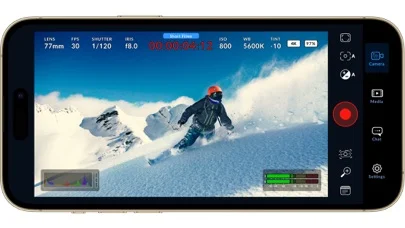
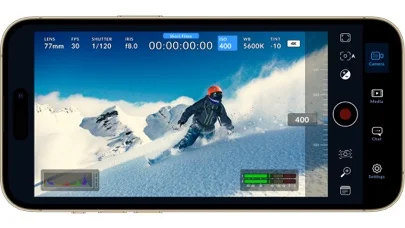
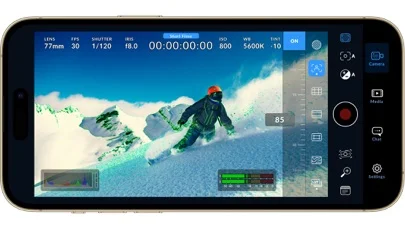
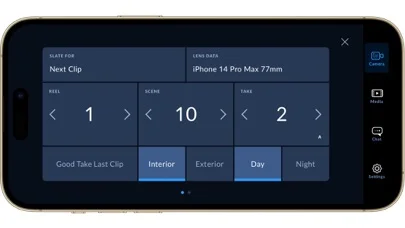
Developer-provided iOS screenshots.
Features
Manual cinema controls
Adjust frame rate, shutter angle, white balance, and ISO from the camera interface.
Developer’s App Store feature description (iOS)ProRes cloud recording
Record industry-standard 10-bit Apple ProRes footage up to 4K directly to Blackmagic Cloud.
Developer’s App Store feature description (iOS)Interactive heads-up display
Use the HUD for record status, histogram, focus peaking, levels, frame guides, and other controls.
Developer’s App Store feature description (iOS)Recording and audio formats
Configure Apple ProRes, H.264, H.265, AAC, PCM, metering, microphones, and LUTs.
Developer’s App Store feature description (iOS)Media review and upload
Browse, scrub, search, sort, and upload captured clips from the media tab.
Developer’s App Store feature description (iOS)Sources & verification
- Blackmagic Camera: developer's App Store listing (US)Primary source
- Developer’s App Store feature description (iOS)Primary source
Last verified: 23 September 2026. Features not listed here may be unverified.
Are you the developer? Claim this listing →