 Is There an App?
Concepts
by TopHatch, Inc.
Sketch on an infinite vector canvas with editable strokes and measurement tools.
What it does
Sketch on an infinite vector canvas with editable strokes and measurement tools. Free drawing is available, with subscriptions and one-time purchases expanding tools and exports.
Pricing: is Concepts free?
US App Store download: Free (USD), checked 2026-09-23. Includes free functionality with optional paid features or plans. Feature availability depends on the tier.
Screenshots
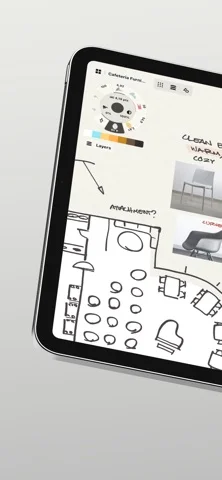
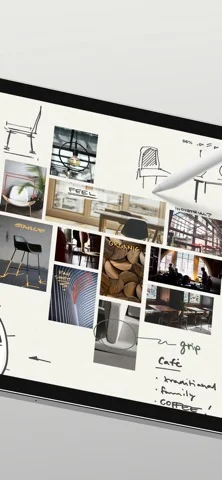
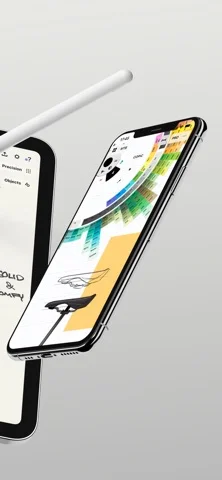
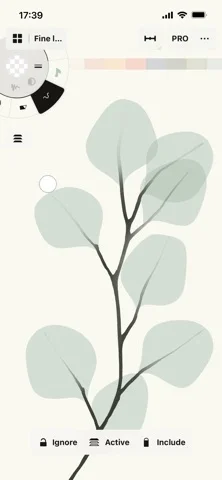
Developer-provided iOS screenshots.
Features
Infinite canvas
Sketch plans, notes, mind maps, storyboards, and designs on a canvas that expands as needed.
Developer’s App Store feature description (iOS)Editable vector strokes
Move, reshape, scale, smooth, recolor, or nudge vector strokes without redrawing them.
Developer’s App Store feature description (iOS)Custom drawing tools
Use pressure-, tilt-, and velocity-sensitive pens and brushes or create custom tools.
Developer’s App Store feature description (iOS)Scale and measurement
Calculate real-world dimensions with scale and measurement tools for plans and technical sketches.
Developer’s App Store feature description (iOS)Professional import and export
Drag in images or PDFs and export images, scaled PDFs, or vector files for other design applications.
Developer’s App Store feature description (iOS)Sources & verification
- Concepts: developer's App Store listing (US)Primary source
- Developer’s App Store feature description (iOS)Primary source
Last verified: 23 September 2026. Features not listed here may be unverified.
Are you the developer? Claim this listing →