 Is There an App?
GarageBand
by Apple
Record music and arrange songs with virtual instruments.
What it does
GarageBand is Apple’s music-making and recording app for iPhone and iPad. Play Touch Instruments, build beats with Live Loops, record vocals or instruments, and arrange and mix songs with up to 32 tracks.
Pricing: is GarageBand free?
GarageBand for iPhone and iPad is a free US App Store download. Apple documents free instruments, loops and sound packs. Optional third-party hardware and apps are separate purchases. Checked 3 October 2026.
Common questions
What is GarageBand used for?
GarageBand is Apple’s app for making music on iPhone and iPad. Play touchscreen instruments, create beats and loops, record vocals or instruments, and arrange and mix songs in up to 32 tracks.
Does GarageBand cost money?
The reviewed US iOS listing is free, and Apple documents free Sound Library instruments, loops and packs. You do not need a GarageBand subscription for those documented tools. Compatible audio interfaces and third-party instrument apps may cost extra.
Which devices does this listing cover?
This listing covers GarageBand for iPhone and iPad. Check the App Store compatibility requirements for your device. Apple also has a Mac edition; this page’s iOS details should not be treated as specifications for that edition.
Answers reviewed . Source-based research; not hands-on testing.
Screenshots
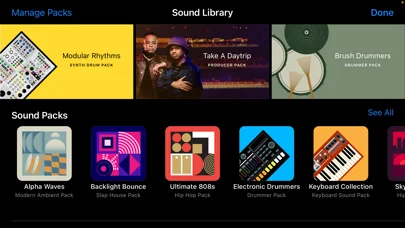
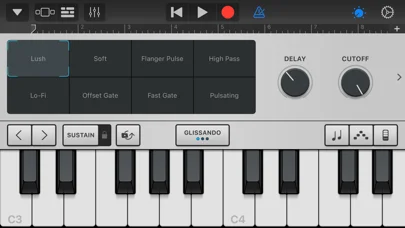
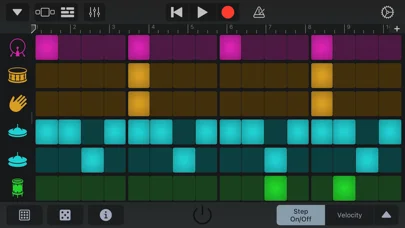
Developer-provided iOS screenshots.
Features
Play instruments on the touchscreen
Use keyboards, guitars, Smart Instruments and a beat sequencer to create music on iPhone or iPad.
Developer’s App Store feature description (iOS)Build performances with Live Loops
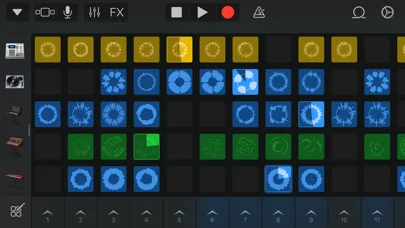
Trigger cells or groups of loops, record into cells and capture a live performance.
Developer’s App Store feature description (iOS)Record and mix multitrack songs
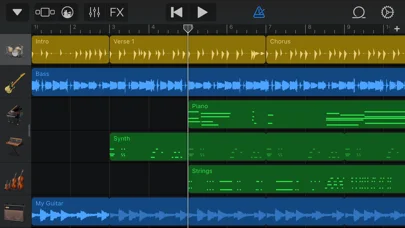
Arrange Touch Instruments, recordings and loops in up to 32 tracks. Multitrack recording requires a compatible third-party audio interface.
Developer’s App Store feature description (iOS)Add virtual drummers
Choose virtual session drummers and adjust their grooves to fit a song; additional drummer content requires a free Sound Library download.
Developer’s App Store feature description (iOS)Sync songs and create ringtones
Keep songs synchronized through iCloud Drive and turn music into custom ringtones or alerts.
Developer’s App Store feature description (iOS)Sources & verification
- GarageBand: developer's App Store listing (US)Primary source
- Developer’s App Store feature description (iOS)Primary source
- Developer’s US App Store listing: GarageBandPrimary source
- Apple: GarageBand for iPhone and iPadPrimary source
Last verified: 22 September 2026. Features not listed here may be unverified.
Are you the developer? Claim this listing →