 Is There an App?
GoodTask - To Do List, Tasks
by haha Interactive
Build task views on top of iOS Reminders and Calendars.
What it does
Build task views on top of iOS Reminders and Calendars. Includes recurring tasks, smart filters, boards and bulk editing, with optional supporter subscriptions.
Pricing: is GoodTask - To Do List, Tasks free?
US App Store download: Free (USD), checked 2026-09-23. The full pricing model, in-app purchases and subscription requirements have not been verified.
Screenshots
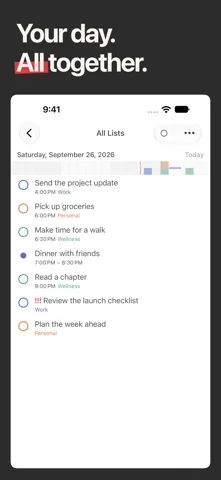
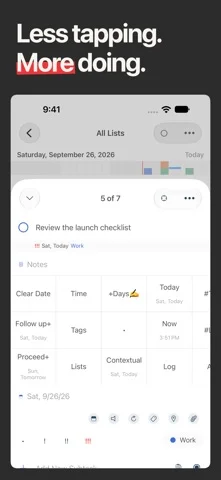
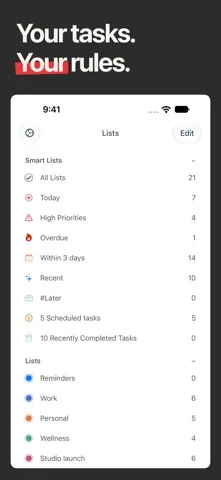
Developer-provided iOS screenshots.
Features
Build on Apple Reminders and Calendar
Bring existing reminders and calendar events together with iCloud syncing across devices.
Developer’s App Store feature description (iOS)Plan today without changing due dates
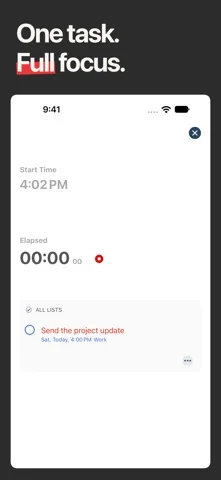
Select work in Today Page, see events alongside it and focus on a single task with Next Page.
Developer’s App Store feature description (iOS)Combine tasks in Smart Lists
Filter across lists by dates, priorities or tags while edits remain attached to the original reminder.
Developer’s App Store feature description (iOS)Switch among task layouts
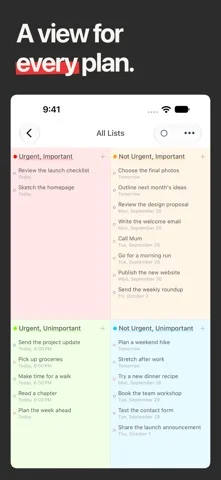
Use list, calendar, kanban, matrix and project views to organize work in different ways.
Developer’s App Store feature description (iOS)Reuse routines and apply bulk actions
Save templates for recurring routines and customize Quick Actions or bulk edits. Continued full access after the trial requires a purchase or subscription.
Developer’s App Store feature description (iOS)Sources & verification
- GoodTask - To Do List, Tasks: developer's App Store listing (US)Primary source
- Developer’s App Store feature description (iOS)Primary source
Last verified: 23 September 2026. Features not listed here may be unverified.
Are you the developer? Claim this listing →