 Is There an App?

Infinite Painter
by Sean Brakefield
Paint with customizable brushes, layers and perspective guides.
What it does
Paint with customizable brushes, layers and perspective guides. Free tools include basic drawing features, while Pro expands canvas sizes and editing options.
Pricing: is Infinite Painter free?
US App Store download: Free (USD), checked 2026-09-23. The full pricing model, in-app purchases and subscription requirements have not been verified.
Screenshots
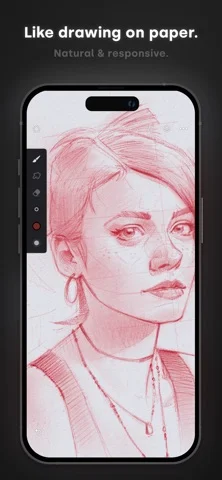
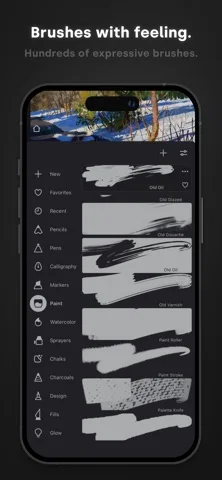
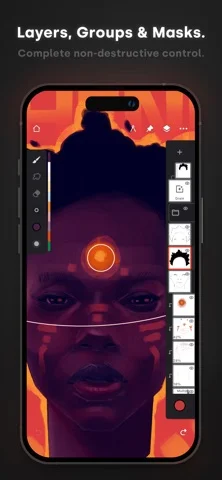
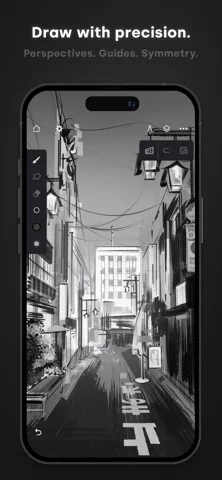
Developer-provided iOS screenshots.
Features
Custom brush engine
Choose hundreds of brushes, adjust more than 100 settings per brush, and import or share custom sets.
Developer’s App Store feature description (iOS)Apple Pencil controls
Use Apple Pencil pressure and tilt while assigning separate canvas actions to finger input.
Developer’s App Store feature description (iOS)Layers, masks, and filters
Group layers and apply blend modes, masks, clipping masks, adjustment layers, or live filters.
Developer’s App Store feature description (iOS)Guides and perspective
Draw with symmetry, shape, hatching, 2D grid, and five perspective guides.
Developer’s App Store feature description (iOS)PSD and image export
Import source material and export JPEG, PNG, ZIP, layered PSD, or Painter project files.
Developer’s App Store feature description (iOS)Sources & verification
- Infinite Painter: developer's App Store listing (US)Primary source
- Developer’s App Store feature description (iOS)Primary source
Last verified: 23 September 2026. Features not listed here may be unverified.
Are you the developer? Claim this listing →