 Is There an App?

Microsoft Planner
by Microsoft Corporation
Assign tasks and organize team plans on visual boards.
What it does
Assign tasks and organize team plans on visual boards. Requires an eligible work or school Office 365 subscription and does not support personal accounts.
Pricing: is Microsoft Planner free?
US App Store download: Free (USD), checked 2026-09-23. The described service requires a paid plan after any trial; download price is not the subscription price.
Screenshots
Developer-provided iOS screenshots.
Features
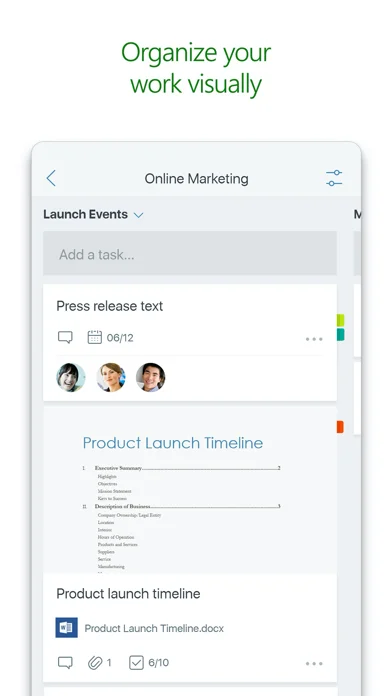
Organize team tasks on boards
Create plans with task buckets and categorize work by status or assignee. An eligible work or school Office 365 subscription is required; personal accounts are unsupported.
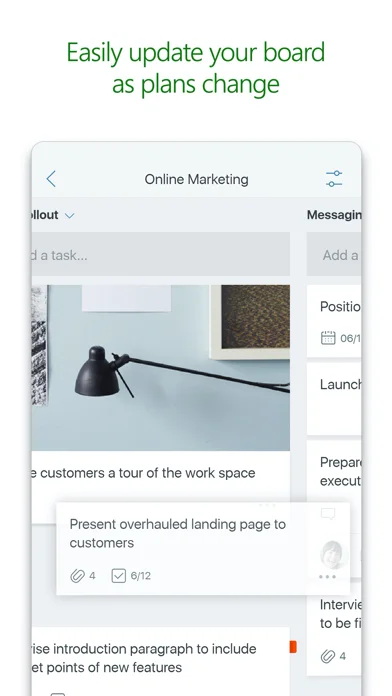
Developer’s App Store feature description (iOS)Change task status by dragging cards
Move tasks between board columns to update status or assignments.
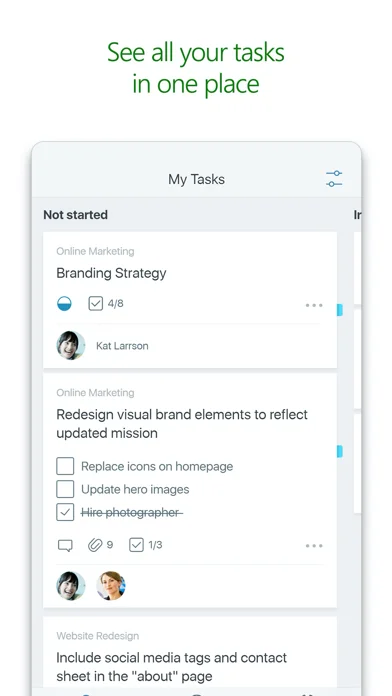
Developer’s App Store feature description (iOS)Review assignments across plans
Use My Tasks to see assigned work and its status across multiple plans.
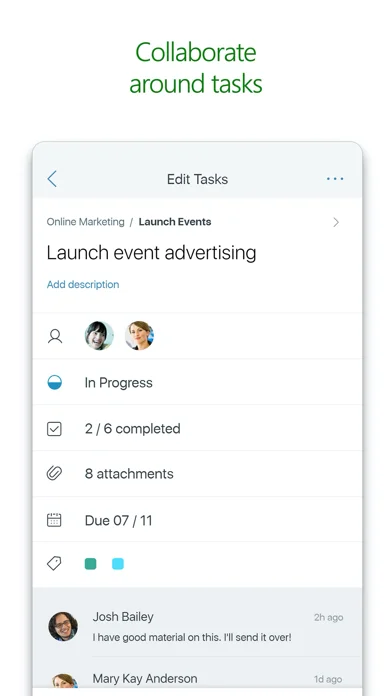
Developer’s App Store feature description (iOS)Keep discussions with the task
Have conversations around a task without moving discussions into another app.
Developer’s App Store feature description (iOS)Attach photos to shared work
Capture or select photos and attach them directly to team tasks.
Developer’s App Store feature description (iOS)Sources & verification
- Microsoft Planner: developer's App Store listing (US)Primary source
- Developer’s App Store feature description (iOS)Primary source
Last verified: 23 September 2026. Features not listed here may be unverified.
Are you the developer? Claim this listing →