 Is There an App?
Screens 5: VNC Remote Desktop
by Edovia Inc.
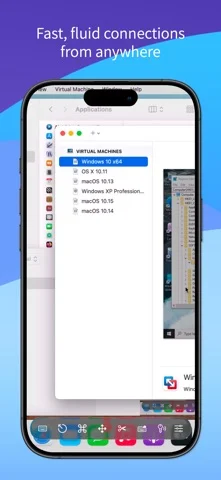
View or control remote computers using VNC, share the clipboard and transfer files to Macs.
What it does
View or control remote computers using VNC, share the clipboard and transfer files to Macs. The listing excludes sound transmission and connections to iOS devices.
Pricing: is Screens 5: VNC Remote Desktop free?
US App Store download: Free (USD), checked 2026-09-23. The full pricing model, in-app purchases and subscription requirements have not been verified.
Screenshots
Developer-provided iOS screenshots.
Features
Cross-platform VNC access
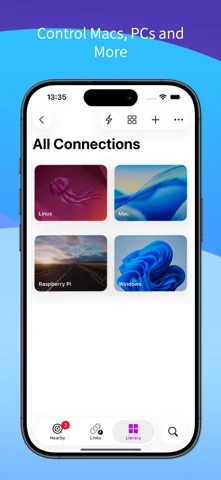
Control Macs, Windows PCs, Linux systems, and Raspberry Pi devices from supported Apple devices.
Developer’s App Store feature description (iOS)Screens Connect and Tailscale
Use built-in or standalone Screens Connect for internet access, or Tailscale for Linux and Raspberry Pi connections.
Developer’s App Store feature description (iOS)Private and controlled sessions
Use Curtain Mode on Macs and choose whether to observe or control a remote computer.
Developer’s App Store feature description (iOS)File transfer and clipboard
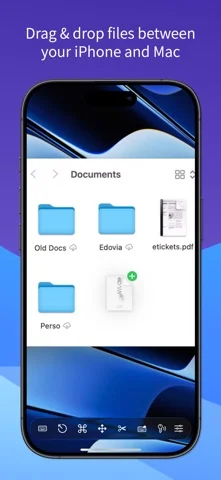
Transfer files with supported Mac hosts and share clipboard content, with Windows and Linux clipboard limited to text.
Developer’s App Store feature description (iOS)Shortcuts, widgets, and input devices
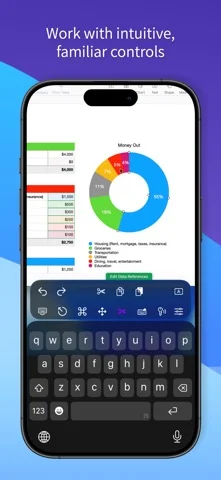
Connect using Siri, Shortcuts, Spotlight, or widgets and control systems with keyboards, mice, trackpads, or Apple Pencil.
Developer’s App Store feature description (iOS)Sources & verification
- Screens 5: VNC Remote Desktop: developer's App Store listing (US)Primary source
- Developer’s App Store feature description (iOS)Primary source
Last verified: 23 September 2026. Features not listed here may be unverified.
Are you the developer? Claim this listing →