 Is There an App?

ScreenZen- Screen Time Control
by ScreenZen LLC
Add limits and pauses to distracting app use.
What it does
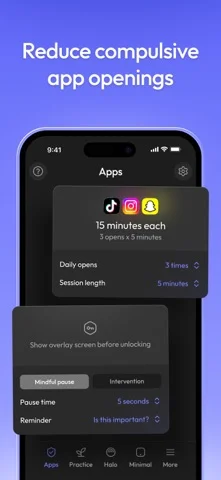
Configure opening delays, scrolling interruptions and app-use limits, with optional strict blocks and settings locks.
Pricing: is ScreenZen- Screen Time Control free?
US App Store download: Free (USD), checked 2026-09-22. The full pricing model, in-app purchases and subscription requirements have not been verified.
Screenshots
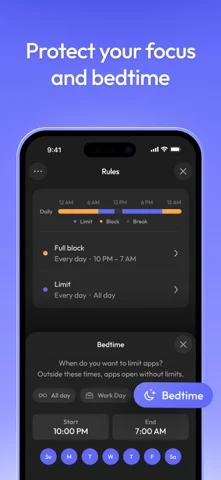
Developer-provided iOS screenshots.

Features
Add a pause before opening an app
Insert a waiting period before a distracting app opens. You can make the delay longer each time you return to it.
Developer’s App Store feature description (iOS)Interrupt extended scrolling
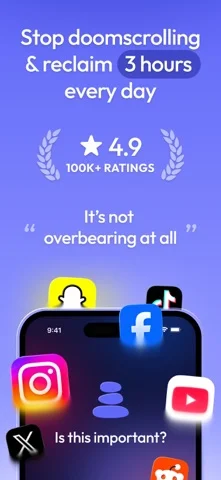
Limit visits to short periods and use interruptions to prompt a decision about whether to continue.
Developer’s App Store feature description (iOS)Choose app-specific schedules and goals
Configure different times and days for each app, set a usage goal and optionally block access when you reach it.
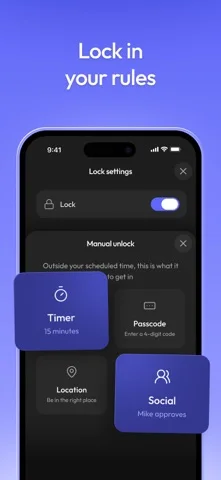
Developer’s App Store feature description (iOS)Make limits harder to override
Use strict blocks for time ranges, opening counts or usage time, and lock settings to discourage changing the limits during a session.
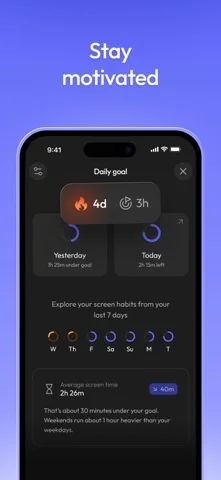
Developer’s App Store feature description (iOS)Track only the apps you want to reduce
Review screen time for selected distracting apps and use streaks to track whether you stayed within your limits.
Developer’s App Store feature description (iOS)Sources & verification
- ScreenZen- Screen Time Control: developer's App Store listing (US)Primary source
- Developer’s App Store feature description (iOS)Primary source
Last verified: 22 September 2026. Features not listed here may be unverified.
Are you the developer? Claim this listing →