 Is There an App?
Sketchbook®
by Sketchbook, Inc
Draw and paint with customizable brushes, guides and layers.
What it does
Draw and paint with customizable brushes, guides and layers. The optional Premium Bundle adds brush management, layer tools and export options.
Pricing: is Sketchbook® free?
US App Store download: Free (USD), checked 2026-09-23. The full pricing model, in-app purchases and subscription requirements have not been verified.
Screenshots
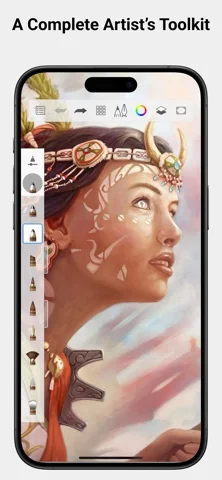
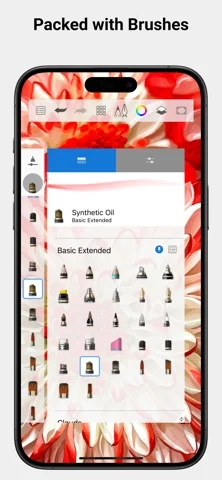
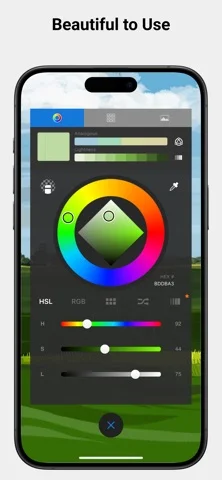
Developer-provided iOS screenshots.
Features
Natural brush collection
Draw with pencils, markers, airbrushes, smear tools, and other brush types modeled on physical media.
Developer’s App Store feature description (iOS)Customizable brushes
Adjust brushes to create a specific look; importing, exporting, and building custom brushes require the Premium Bundle.
Developer’s App Store feature description (iOS)Precision guides
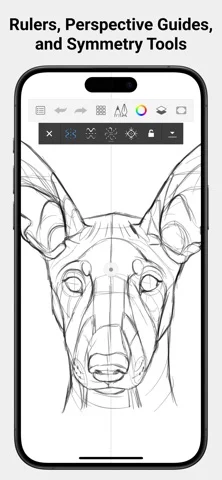
Use guides, rulers, and stroke tools for controlled geometry and accurate marks.
Developer’s App Store feature description (iOS)Layers and blend modes
Build artwork with layers and blend modes; Premium adds grouping, masks, clipping masks, and more adjustments.
Developer’s App Store feature description (iOS)Focused drawing interface
Work in a clean, unobtrusive interface designed to keep tools from distracting from the canvas.
Developer’s App Store feature description (iOS)Sources & verification
- Sketchbook®: developer's App Store listing (US)Primary source
- Developer’s App Store feature description (iOS)Primary source
Last verified: 23 September 2026. Features not listed here may be unverified.
Are you the developer? Claim this listing →