 Is There an App?
Snapseed: Photo Editor
by Google
Edit photographs with filters and adjustment tools.
What it does
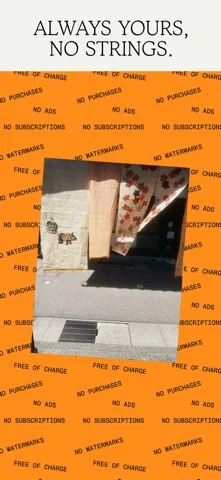
Apply selective adjustments, masking and film effects, edit RAW images and reuse edits across a batch. The listing states there are no subscriptions, purchases or ads.
Pricing: is Snapseed: Photo Editor free?
US App Store download: Free (USD), checked 2026-09-22. The developer describes free core use; check the listing for eligibility and service limits.
Screenshots
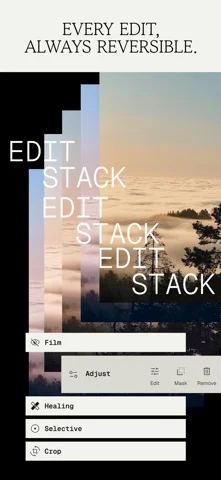
Developer-provided iOS screenshots.


Features
Make targeted subject and background edits
Smart masking selects a subject or background for localized adjustments.
Developer’s App Store feature description (iOS)Apply edits to multiple photos
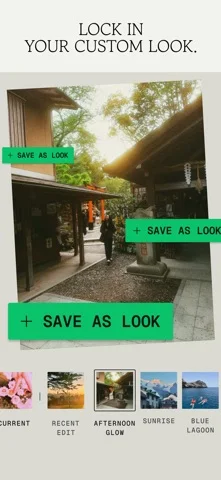
Use batch editing to apply custom looks and adjustments across a group of photos.
Developer’s App Store feature description (iOS)Edit JPG and supported RAW files
Open photos for precise editing, with RAW Develop supporting some RAW file types.
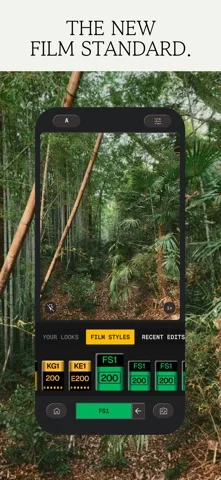
Developer’s App Store feature description (iOS)Capture photos with editable looks
The built-in camera applies film simulations or custom styles while shooting, with effects that can be changed or reset later.
Developer’s App Store feature description (iOS)Revisit edits without losing the original
Undo adjustments or return to the original image. The developer lists the editing tools without subscriptions, ads or watermarks.
Developer’s App Store feature description (iOS)Sources & verification
- Snapseed: Photo Editor: developer's App Store listing (US)Primary source
- Developer’s App Store feature description (iOS)Primary source
Last verified: 22 September 2026. Features not listed here may be unverified.
Are you the developer? Claim this listing →