 Is There an App?

Stop Motion Studio
by CATEATER, LLC
Capture and arrange frames into stop-motion films with onion-skin guides and audio.
What it does
Capture and arrange frames into stop-motion films with onion-skin guides and audio. Selected tools require in-app purchases, with all features included in the Pro edition.
Pricing: is Stop Motion Studio free?
US App Store download: Free (USD), checked 2026-09-23. The full pricing model, in-app purchases and subscription requirements have not been verified.
Screenshots
Developer-provided iOS screenshots.
Features
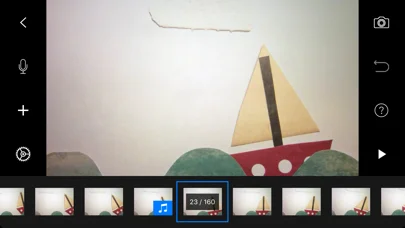
Frame-by-frame timeline
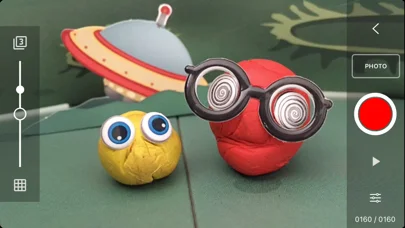
Edit individual frames with onion skinning, animation guides, copy, paste, cut, insert, and motion effects.
Developer’s App Store feature description (iOS)Manual capture controls
Set focus, exposure, ISO, and white balance, use timed capture, or trigger the camera remotely.
Developer’s App Store feature description (iOS)Drawing and green-screen effects
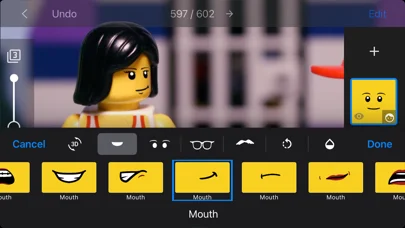
Draw over video, add text or speech bubbles, erase objects, layer expressions, and use green-screen backgrounds.
Developer’s App Store feature description (iOS)Voice, music, and transitions
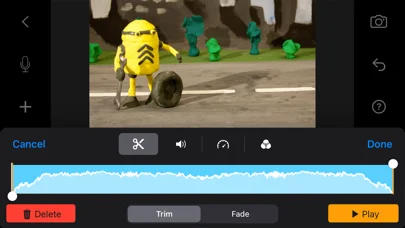
Record narration, import music or sound effects, and apply fades, filters, or transitions.
Developer’s App Store feature description (iOS)High-resolution sharing and sync
Export up to 4K, share to social services or GIF, and move projects with AirDrop, iCloud, or Dropbox.
Developer’s App Store feature description (iOS)Sources & verification
- Stop Motion Studio: developer's App Store listing (US)Primary source
- Developer’s App Store feature description (iOS)Primary source
Last verified: 23 September 2026. Features not listed here may be unverified.
Are you the developer? Claim this listing →