 Is There an App?
Textastic Code Editor
by Alexander Blach
Edit code with syntax highlighting, completion and formatting, and connect to remote servers over SSH or SFTP.
What it does
Edit code with syntax highlighting, completion and formatting, and connect to remote servers over SSH or SFTP. Access requires a subscription or one-time purchase.
Pricing: is Textastic Code Editor free?
US App Store download: Free (USD), checked 2026-09-23. The full pricing model, in-app purchases and subscription requirements have not been verified.
Screenshots
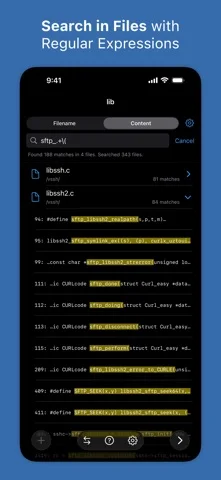
Developer-provided iOS screenshots.
Features
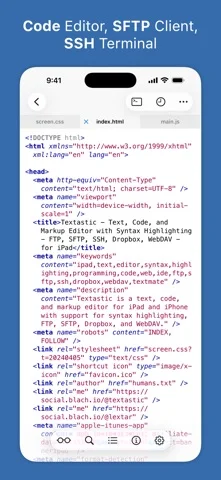
Syntax highlighting for 80+ languages
Edit source and markup with highlighting for more than 80 documented languages.
Developer’s App Store feature description (iOS)Remote files and SSH
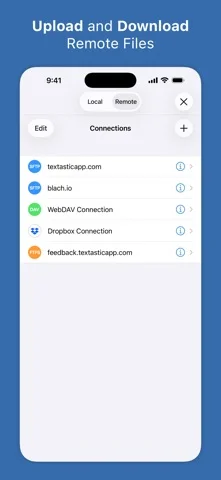
Connect to SFTP, FTP, FTPS, WebDAV, and Dropbox, and work on servers through an SSH terminal.
Developer’s App Store feature description (iOS)Code completion and formatting
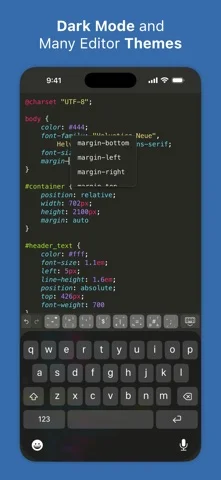
Use completion for selected web and C-family languages plus formatting for HTML, CSS, JavaScript, and JSON.
Developer’s App Store feature description (iOS)Working Copy integration
Open Git repositories supplied by Working Copy as external folders.
Developer’s App Store feature description (iOS)Tabs, windows, and keyboard tools
Open files in tabs and multiple iPad windows with configurable shortcuts and external-keyboard support.
Developer’s App Store feature description (iOS)Sources & verification
- Textastic Code Editor: developer's App Store listing (US)Primary source
- Developer’s App Store feature description (iOS)Primary source
Last verified: 23 September 2026. Features not listed here may be unverified.
Are you the developer? Claim this listing →