 Is There an App?
Trello: Daily Task Tracker
by Trello, Inc.
Organize team projects with boards and cards.
What it does
Capture work as cards, arrange it on boards and add dates, checklists and reminders. Some planning and AI features require paid plans.
Pricing: is Trello: Daily Task Tracker free?
US App Store download: Free (USD), checked 2026-09-22. Includes free functionality with optional paid features or plans. Feature availability depends on the tier.
Screenshots
Developer-provided iOS screenshots.
Features
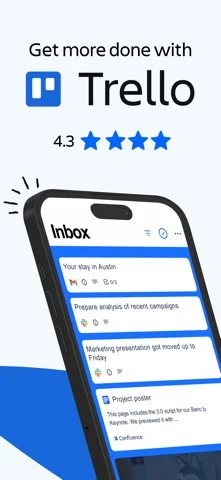
Collect work in an Inbox
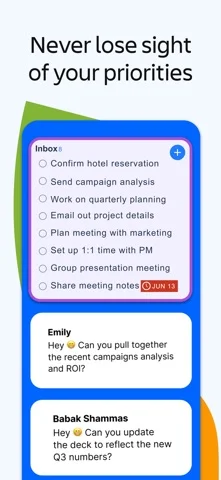
Capture ideas, forward emails and save messages into Trello Inbox, where they become cards you can review and move onto boards.
Developer’s App Store feature description (iOS)Arrange cards on visual boards
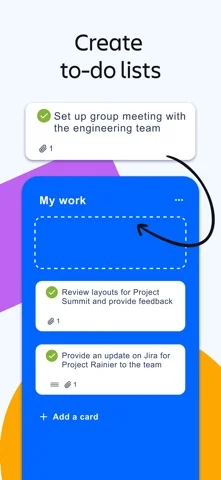
Use customizable kanban boards and lists to match your workflow, moving cards with drag-and-drop gestures on mobile.
Developer’s App Store feature description (iOS)Keep context on each task
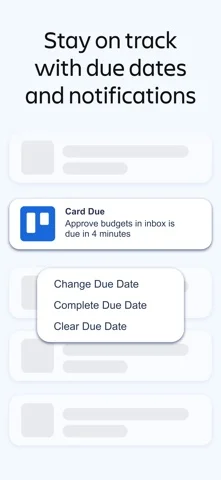
Add due dates, comments, checklists, descriptions and files to cards. Push notifications can alert you to due dates and card changes.
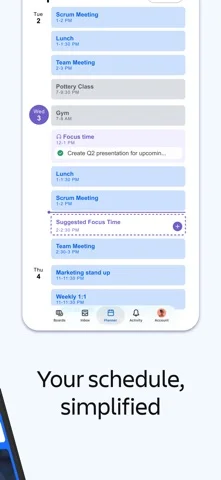
Developer’s App Store feature description (iOS)Reserve focus time with Planner
View Google or Outlook calendar bookings while planning work. Scheduling focus time through Planner is described as a Standard or Premium feature.
Developer’s App Store feature description (iOS)Capture and update work offline
Add notes or ideas and update boards without an internet connection. Changes synchronize when you reconnect.
Developer’s App Store feature description (iOS)Sources & verification
- Trello: Daily Task Tracker: developer's App Store listing (US)Primary source
- Developer’s App Store feature description (iOS)Primary source
Last verified: 22 September 2026. Features not listed here may be unverified.
Are you the developer? Claim this listing →